


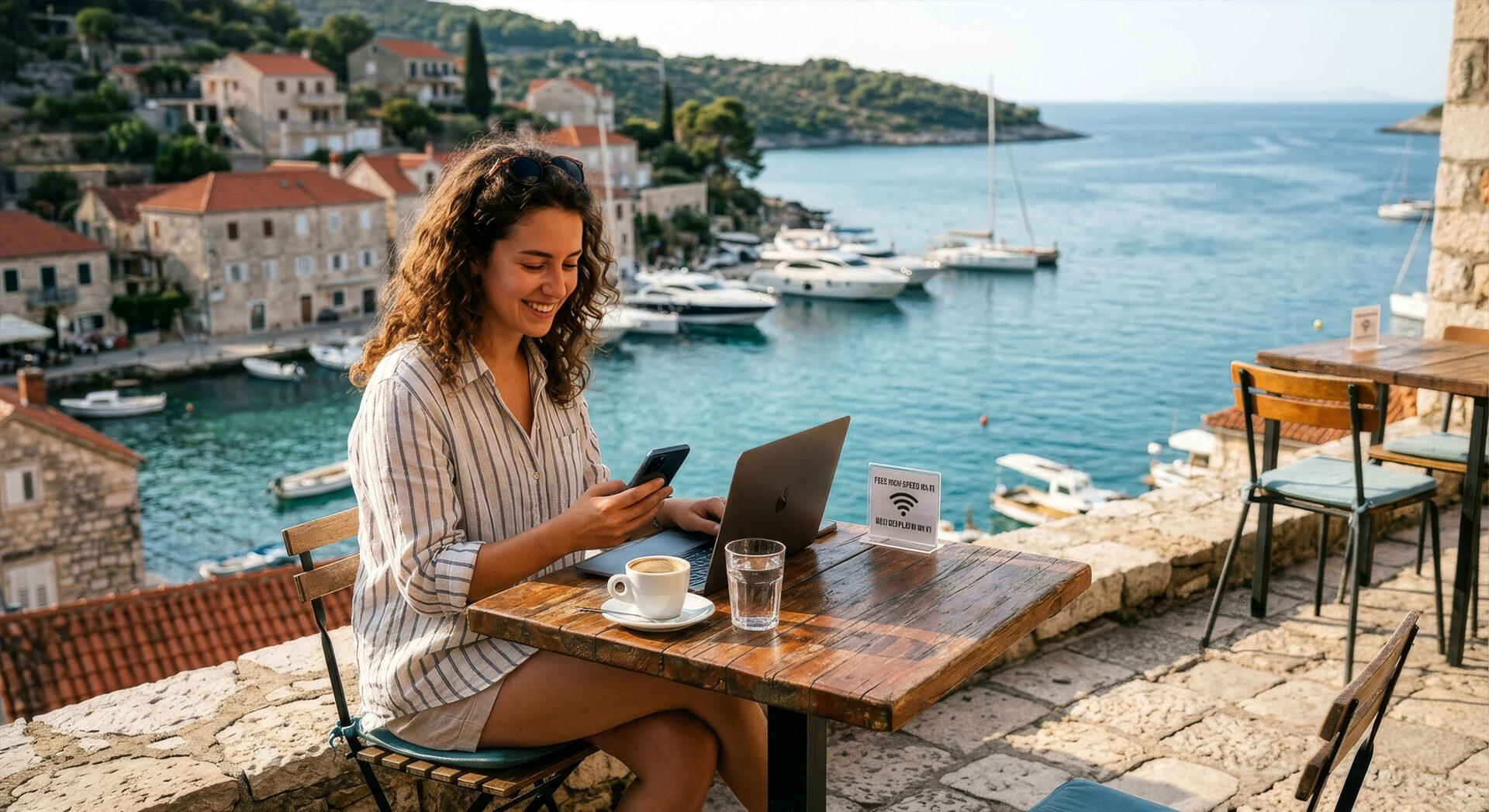
Planning a trip to the Croatian islands often comes with one practical question: will you actually stay connected? The answer matters whether you work remotely, stream music on a ferry ride, or simply want a reliable map in your pocket. On many islands, connectivity is better than people expect, but it can still change from one bay to the next. If you want to avoid surprises, keep reading and treat your connection like part of the travel plan, not an afterthought. A little preparation can make your stay on the Croatian islands much smoother and far less stressful.
Is internet access on the Croatian islands really unreliable?
Internet on the Croatian islands is not a simple yes-or-no story. Some towns offer strong coverage, fast mobile data, and stable Wi‑Fi in hotels, cafes, and apartments. Other places, especially smaller settlements and remote beaches, may have weaker signals or slower speeds. Your exact location matters more than the island itself.
The good news is that many travelers now use the internet without major problems, especially in more developed areas. If you stay near a port, a larger village, or a modern resort, your online life may feel almost normal. Once you move deeper into quiet coves or hilly inland areas, the signal can drop quickly. That is why flexibility is more useful than blind trust in one provider.
How can you prepare before you arrive?
A small amount of planning saves a lot of frustration once you land on the island. You do not need a complicated setup, but you should not rely on luck either. The best approach is to think about connection needs before departure and choose tools that match your habits. A backup option is worth more than perfect optimism.
- check roaming terms with your home provider;
- compare local prepaid SIM and eSIM offers;
- download offline maps and translation tools;
- save important documents on your phone;
- identify accommodation with confirmed Wi‑Fi;
- carry a power bank for long travel days.
Once these basics are ready, you can travel with much more peace of mind. Lumisim recommends treating connectivity like sunscreen: you hope it will not become a problem, but you still prepare for it. That mindset works especially well on islands where conditions can change from one hour to the next.
What internet options work best on the islands?
For most visitors, mobile data is the most practical solution. It gives you mobility on ferries, at the beach, and during day trips, which makes it more versatile than fixed internet. Wi‑Fi is still useful, especially in apartments and restaurants, but it should be viewed as a bonus rather than a guarantee.
Expert tip: “If you need dependable internet for work or calls, test both mobile data and Wi‑Fi on your first day. Run a speed check in the morning and again in the evening, because island networks can change with local traffic. Keep one backup SIM or eSIM ready, especially if you are staying longer than a few days. That simple habit often saves remote workers from last-minute stress.”
Even when accommodation advertises strong Wi‑Fi, the real result may differ depending on building layout and the number of guests online. Public hotspots can be convenient, but they are usually less private and less stable. If you need to upload large files or join video meetings, the safest move is to combine your options. Two connection methods give you real flexibility.
Which islands are usually better connected?
Not every island offers the same digital comfort. Larger and more visited places often have better infrastructure, while smaller or sparsely populated islands may require more patience. That does not mean you should avoid the quieter ones, only that your expectations should match the destination. Bigger tourist hubs usually offer stronger coverage.
- Rrab and Kkrk often provide broad network access;
- Hhvar and Bbrač tend to support digital travelers well;
- bigger towns near ferry ports are usually safer choices;
- remote beaches often have weaker or unstable signal;
- inland or elevated areas may interrupt mobile data;
- seasonal crowding can reduce speed in peak months.
When you compare islands, think beyond the map and look at how you will actually spend your day. A place can be excellent for nightlife and still patchy for work calls in a hillside apartment. Before booking, ask your host about router quality, signal strength, and backup options. That one question can prevent many disappointments.
How do locals and travelers actually stay online?
People living on the islands rarely depend on a single source of internet. They combine home Wi‑Fi, mobile plans, workspaces, and local cafes in a way that fits daily life. Travelers can follow the same logic and avoid the trap of expecting one perfect setup everywhere.
Expert tip: “For longer stays, ask your host for the router model, the provider name, and the usual speed range. If the answer is vague, consider that a sign to bring your own mobile solution. In shared accommodation, the best connection often appears during off-peak hours, so timing matters too. A practical traveler always plans for slow moments, not only for ideal ones.”
This approach is especially useful if you work while traveling or need regular contact with family and clients. You can also save time by identifying one or two reliable backup spots in advance, such as a cafe, coworking space, or hotel lobby. That way, a weak signal in your room does not interrupt your day. Online comfort comes from having options.
What should remote workers know before booking?
Remote work on the islands is absolutely possible, but it rewards careful choices. You should think about more than the view from the balcony, because good scenery does not guarantee a stable connection. Before booking, ask about bandwidth, router placement, and whether the property has been used by remote workers before. Stable internet is a booking criterion, not a luxury.
- confirm upload speed, not only download speed;
- ask whether the router is in your room or elsewhere;
- check if the property has blackout or backup power plans;
- read recent reviews mentioning Wi‑Fi quality;
- prefer accommodation with desk space and quiet surroundings;
- keep a mobile hotspot as an emergency fallback.
If your work depends on meetings or large uploads, set expectations early with your host. Short written confirmation is often more useful than a general “yes, we have Wi‑Fi.” For a company like Lumisim, digital reliability matters because it affects both productivity and comfort. That is why remote workers should treat accommodation as part office, part holiday base.
Can you rely on public Wi‑Fi there?
Public Wi‑Fi exists in many places, but reliability and privacy are two separate issues. A cafe network can be good enough for checking messages or planning transport, yet poor for important calls or file transfers. Airport-style convenience does not always mean island-wide consistency. Public Wi‑Fi is best treated as a temporary backup.
If you choose to use it, avoid logging into sensitive accounts on unsecured networks unless you have protection in place. A VPN, updated device software, and careful browsing habits make a difference. Public access is helpful when you need a quick map, a reservation check, or a message upload. It is less suited to anything that requires speed, privacy, or uninterrupted uptime.
How much does good connectivity affect your trip?
Good internet can quietly improve almost every part of your stay. It helps with navigation, reservations, weather checks, digital payments, and staying in touch with people back home. Poor internet, on the other hand, can turn simple tasks into unnecessary chores and make a relaxing day feel oddly complicated. Connectivity shapes convenience more than many travelers expect.
That does not mean you should chase perfect signal at all costs. The more balanced goal is to travel in a way that gives you enough access without making the internet the center of your holiday. If you prepare well, a slower patch of signal will feel like a minor inconvenience instead of a disaster. In that sense, a reliable connection supports freedom rather than limiting it.
So, is internet on the Croatian islands a myth or a reality?
It is definitely a reality, but not a uniform one. You can often find good internet on the Croatian islands, especially in larger towns and better-equipped accommodations, yet weaker zones still exist. Your experience will depend on the island, the exact location, the season, and the connection method you choose. The smartest travelers plan for uneven coverage.
If you prepare in advance, the islands can be both beautiful and connected enough for modern life. A local SIM, a decent accommodation check, and a few offline tools already solve most everyday problems. That is the real answer: internet is there, but it works best when you do not expect it to behave the same everywhere.
Frequently asked questions about internet on Croatian islands
If you are planning a trip to the Croatian islands, connectivity should be part of your travel planning from the start. The islands are often well connected in towns and tourist areas, but coverage can change quickly once you move to quieter or more remote spots. These answers will help you choose the right setup and avoid common surprises.
1. Is internet on the Croatian islands generally reliable?
Yes, but only in the right places. You will usually get good internet in larger towns, ports, resorts, and well-equipped apartments, while remote beaches and smaller settlements may be much weaker. Your exact location matters more than the island name itself. If you want fewer problems, assume that reliability improves as you move closer to populated areas.
2. What is the best way to stay connected while traveling between islands?
Mobile data is usually your most dependable option because it works on ferries, beaches, and during day trips. Wi‑Fi is useful, but you should treat it as a bonus rather than your main plan. If you need steady access all day, keep a prepaid SIM or eSIM ready as a backup. That gives you flexibility when the signal changes from one place to another.
3. Should you rely on hotel or apartment Wi‑Fi?
You can use it, but you should not assume it will always be strong enough for work or video calls. Building layout, router quality, and the number of guests online can all affect the actual speed. Before booking, ask your host about the router, the provider, and whether recent guests have had good internet. A short message before arrival can save you from major frustration later.
4. Which Croatian islands are usually better for internet access?
Larger and more visited islands tend to offer better coverage, especially around busy towns and ferry ports. Islands such as Krk, Rab, Hvar, and Brač are often more comfortable for travelers who need regular access. Smaller islands and remote inland areas may still be beautiful, but they can be less predictable online. If internet matters to you, look beyond the scenery and check the exact area where you will stay.
5. How should you prepare for weak signal before your trip?
Download offline maps, translation tools, and any documents you may need while traveling. Check roaming terms with your home provider and compare local prepaid SIM or eSIM options before you leave. It also helps to carry a power bank so your phone does not die when you need navigation or hotspot access. A little preparation makes weak signal far less stressful.
6. Is public Wi‑Fi safe and useful on the islands?
Public Wi‑Fi is useful for quick tasks, but it is not the best choice for sensitive work. You can use it to check messages, look up directions, or make reservations, but avoid logging into important accounts without protection. A VPN and updated device software improve your safety on open networks. For anything important, mobile data is usually the better option.
7. Can remote workers really work from the Croatian islands?
Yes, but you need to choose carefully. Look for accommodation with confirmed Wi‑Fi, ask about upload speeds, and check whether the property has a desk and a quiet space to work. A mobile hotspot is a smart backup in case the main connection drops. If you plan well, you can work remotely and still enjoy the island atmosphere.